
Happy Space - AI Home Design
DigiTalya StudiosArt & Design
4.813.00 Reviews
- Version
- 1.10.0
- Installs
- 10.00K
- Age Rating
- Everyone
Screenshots
Our Review of Happy Space - AI Home Design
 Analysis by Appyee
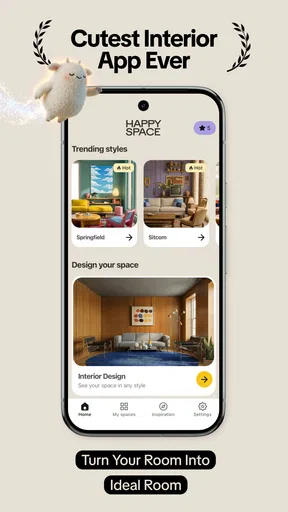
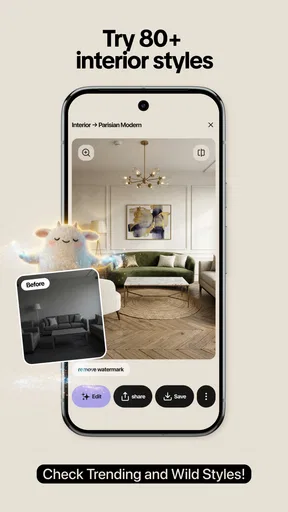
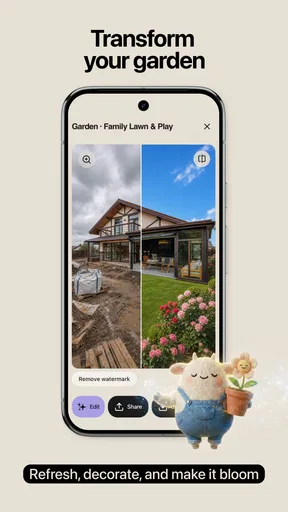
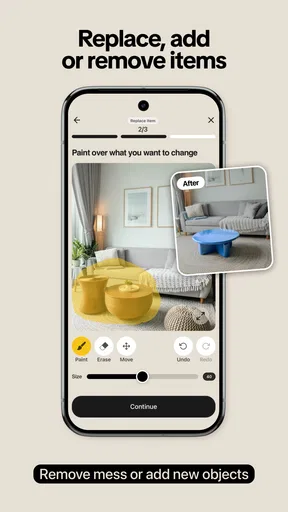
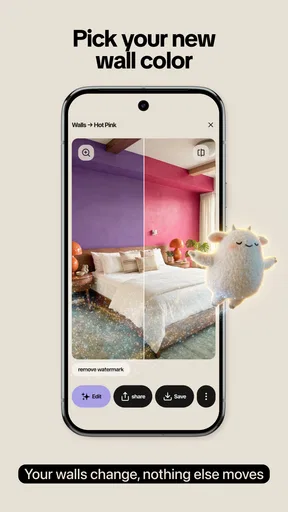
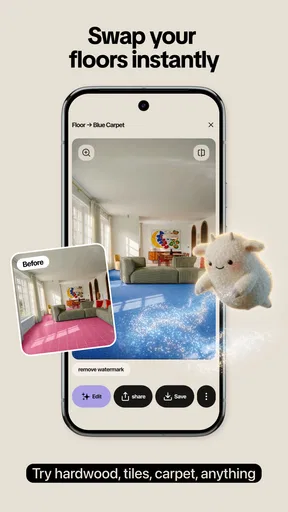
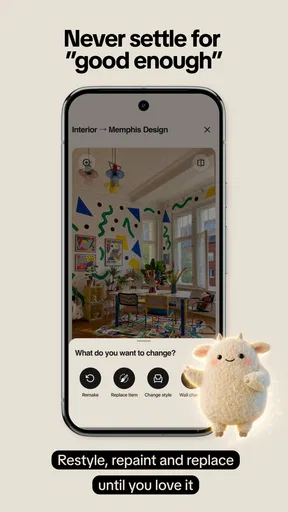
I tried Happy Space - AI Home Design as the sort of app you open when a room feels tired but you cannot yet explain why. Its basic idea is easy to understand: start with a photo of an interior and explore different visual directions, including current styles and lighting changes. That makes it more approachable than beginning with a blank design board, especially if you want to see possibilities for your own sofa, walls, floor, and windows rather than browse unrelated showroom images.
My first impression was positive because the app turns a vague decorating thought into something visible very quickly. Instead of asking me to learn a full planning system, it gives me a way to consider “what if this room felt warmer?” or “what if the lighting were softer?” The results are best treated as visual suggestions, not final architectural plans, but that distinction is important. Happy Space is useful when you need inspiration grounded in a real room; it is less suitable when you need exact measurements, shopping lists, construction guidance, or a guaranteed representation of how a renovation will look.
Why the first week feels more useful than a typical inspiration feed
The strongest part of the early experience is the personal starting point. A conventional image feed can be attractive, but it often leaves me comparing my ordinary room with spaces that have different proportions, windows, furniture, and natural light. Uploading a photo changes that relationship. Even when a generated restyle is imperfect, it gives me something concrete to react to: I can decide that a color feels too cold, that a style clashes with the existing floor, or that a brighter arrangement would suit the room better.
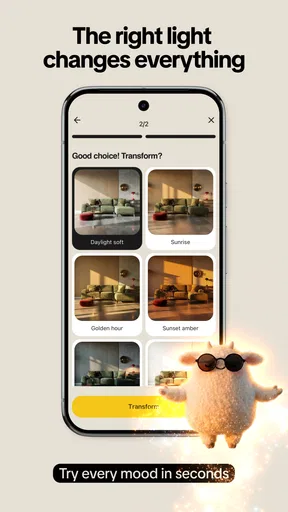
I found the lighting angle especially practical. People often choose paint or furniture under one kind of light and discover later that the room feels completely different during the evening. Using a photo to explore lighting moods can encourage a better conversation before buying anything. I would take several photos at different times of day, if the room allows it, and compare the results with the way the space is actually used. A bedroom, reading corner, and work area do not need the same atmosphere, even if they share a palette.
A useful habit is to photograph the room from the position where you normally enter it, rather than from the most flattering corner. That makes the output more relevant to daily life. I would also leave the main furniture in place for the first experiment. Removing everything from the image may produce a cleaner-looking concept, but it hides the practical question that matters most: can the proposed direction work with what I already own?
The app is free to install, which lowers the barrier to trying it casually. It is marked for Everyone, so the presentation is accessible to a broad audience, including someone who has never used a design tool before. DigiTalya Studios has positioned it in the art and design space rather than as a professional drafting application, and that feels right in use. I approached it as a creative visualization companion, not as a substitute for an interior designer or a technical floor-plan program.
Its public response is encouraging, with a 4.8 average from around 160 ratings and more than 10 thousand installs. Those figures suggest that the simple photo-to-idea workflow connects with people, although they do not tell me whether every generated result will suit a particular room. I would use the positive reception as a reason to test the app, not as a promise that it will understand every unusual layout or personal taste.
How I would use it for a real decorating decision
Imagine a rented living room with a dark sofa, pale walls, and a small amount of daylight. Before spending money, I would take a clear photo, try a few different style directions, and focus on the changes that repeat across several versions. If a lighter wall treatment and warmer illumination consistently make the room feel more comfortable, that is a useful clue. I might then change a lamp, add a lighter textile, or rearrange a chair before considering anything expensive.
The important point is to look for patterns rather than fall in love with one dramatic image. A single result can encourage unrealistic expectations, especially if it makes the room appear larger, cleaner, or more balanced than it is in everyday use. Comparing several variations helps separate a genuinely suitable idea from a visually impressive but impractical one.
Another good workflow is to save the original photo mentally as an anchor and judge each restyle against it. Ask whether the walking path still works, whether storage has disappeared, whether the window remains usable, and whether the proposed mood fits the people who live there. Happy Space can spark those questions, but it cannot answer them for you.
What remains valuable after the novelty fades
The long-term value depends on whether I am actively making small decisions at home. If I only want a one-time makeover image, the app may feel exciting for a short period and then become easy to forget. If I am gradually improving several spaces, however, the photo-based approach can remain useful. I can return when a room changes, when a new piece of furniture arrives, or when I am choosing between a few different atmospheres.
That makes it more useful for renters, first-time decorators, and people who prefer incremental changes. A renter may not be able to replace flooring or alter walls, but visual experiments can still guide movable furniture, lamps, curtains, artwork, and color accents. Someone furnishing a new home can use it to narrow down a direction before visiting stores. A person who already has strong design knowledge may find it less valuable because they may prefer precise tools and direct control over every element.
I also see value in using it as a discussion tool. Partners or family members often describe a desired room with different words: one person wants “calm,” another wants “bright,” and a third worries about maintenance. A visual result gives everyone something specific to discuss. It does not settle the disagreement, but it can reveal which part is actually contested: color, lighting, furniture density, or the overall style.
There is a subtle advantage in revisiting the same photo after a few days. Immediate reactions tend to favor novelty. Looking again later helps me notice whether the idea still feels comfortable or whether it only seemed appealing because it was dramatically different. For that reason, I would avoid making a purchase immediately after seeing a particularly attractive restyle. Use the image to form a shortlist, then test the idea in the real room with inexpensive changes first.
The current release is version 1.10.0, and the app’s relatively focused purpose helps it avoid the learning curve of broader design suites. That focus is also its boundary. It is not the place I would go for detailed budgeting, exact product matching, precise dimensions, or a full renovation schedule. For those tasks, a measurement-based planner, a spreadsheet, or advice from a qualified professional will be more dependable.
The cost question and the free experience
Happy Space is free, but it includes optional purchases ranging from $1.99 to $34.99 per item. That matters if I am deciding whether this should become a regular creative tool rather than a quick experiment. I would begin with the free experience and judge whether the visual results are consistently useful for my own rooms before paying for anything. The right value test is not how impressive one image looks; it is whether the app helps me avoid unsuitable purchases or reach a decision faster.
For occasional inspiration, a purchase at the higher end would be difficult for me to justify without frequent use. For someone repeatedly planning rooms, the calculation may be different, particularly if the app replaces hours of browsing and indecision. Still, I would keep expectations realistic: visual inspiration has value, but it does not remove the need to check dimensions, materials, cleaning needs, durability, or landlord restrictions.
One practical way to control fatigue is to define a question before opening the app. “Should this room feel warmer?” is better than endlessly asking for new looks. “Would a lighter visual balance work with the existing sofa?” is better than chasing every trend. This keeps the app connected to a real decision and reduces the temptation to treat it as an infinite stream of makeovers.
Where repeated use can become tiring
The same strength that makes the first session approachable can limit deeper use. Photo restyling is fast and visually rewarding, but repeated variations can start to blur together. If I keep requesting different styles without a clear goal, I may collect attractive images without learning what to do next. The app encourages imagination, yet imagination needs a practical filter or it becomes decoration in its own right.
I would also be cautious with rooms that have unusual shapes, complicated built-ins, reflective surfaces, or clutter that carries real meaning. A visual restyle may simplify or reinterpret those details in a way that looks polished but does not reflect how the space functions. That is not a reason to reject the app; it is a reason to use the output as a mood reference instead of a literal instruction.
Lighting changes deserve similar caution. A brighter or warmer appearance can make a room feel more inviting in an image, but real lighting depends on bulb choice, fixture placement, window direction, wall color, and how the room is used at night. I would treat the app’s lighting suggestions as a prompt to inspect the room, then test the most promising idea with an actual lamp or bulb before committing.
Trend-focused design can also age quickly. A style that looks fresh today may feel less personal after repeated exposure. For lasting value, I would use the app to identify principles rather than copy an entire look: more breathing room, a calmer contrast, warmer illumination, or a better relationship between furniture and wall color. Those decisions are more durable than reproducing every fashionable detail in one generated concept.
Maintenance, privacy-minded habits, and everyday practicality
The maintenance burden is fairly light in the sense that the app does not require me to build a complete room model before getting started. The ongoing work is mostly organizational and judgment-based: take useful photos, compare ideas, remember what belongs to the real room, and turn inspiration into small experiments. That is manageable, but it means the app will not create lasting improvement automatically. Its value depends on what I do after closing it.
I would keep a small personal record of the concepts that actually survive contact with the room. A simple note such as “warmer light works after sunset” or “open shelving looks good but adds cleaning” is more valuable than saving dozens of images. This turns the app from a novelty generator into a feedback loop for my own taste and routines.
Before uploading a photo, I would remove anything I do not want included in an interior image, such as visible personal documents, mail, or identifiable family details. I would also frame the shot around the design problem instead of capturing the entire home unnecessarily. That is a sensible habit for any photo-based service, and it keeps the process focused.
People who need exact renovation confidence should skip this app as their main planning method. If I were changing plumbing, ordering custom cabinetry, choosing structural lighting, or working with strict measurements, I would use professional plans and physical samples instead. Likewise, anyone who dislikes AI-assisted visual interpretation may prefer a manual mood board, a room planner, or direct consultation with a designer.
On the other hand, I would recommend giving it a chance if the obstacle is uncertainty rather than technical complexity. It is particularly well suited to the moment before a purchase, when I know a room feels wrong but cannot identify the smallest change that might improve it. The app can help me move from “I want something different” to a more precise conversation about light, color, balance, and atmosphere.
My long-term verdict on keeping it installed
After the initial excitement, I do not think Happy Space earns permanent space on every phone. Its lasting usefulness is tied to active decorating projects, changing rooms, or a genuine interest in exploring interiors. If my home is settled and I rarely make design decisions, I would probably use it briefly and move on. That is not a failure; it is simply a focused tool rather than an app that demands daily attention.
For the right user, though, it can become a practical checkpoint before spending money. I like that it begins with a real photo, encourages visual comparison, and makes lighting part of the conversation. I also appreciate that it is less intimidating than a full design application. The trade-off is that its convenience can make the results feel more authoritative than they really are, so I need to keep measurements, function, budget, and maintenance in charge of the final decision.
My recommendation is to use it in short, purposeful sessions. Photograph the room honestly, test a limited number of directions, identify the changes that remain appealing after a pause, and then verify those ideas in the physical space. Avoid treating every attractive result as a shopping list. The best outcome is often a small adjustment that makes the room work better, not a total transformation.
In the end, Happy Space - AI Home Design is most convincing as a bridge between inspiration and action. DigiTalya Studios has made an accessible art and design app for people who want to see possibilities in their own surroundings, and its free entry point makes experimentation easy. The app earns a place in my toolkit when I am stuck, planning gradually, or comparing moods for a real room. It does not replace careful planning, but used with that limitation in mind, it can turn a vague decorating impulse into a clearer and more useful next step.
Verdict
Strengths of Happy Space - AI Home Design
- Generates multiple room concepts quickly from a single photo.
- Useful for exploring different decor styles before making changes.
- Simple interface makes it accessible to non-designers.
- Can provide inspiration for color palettes and furniture arrangements.
- Helpful for visualizing ideas without hiring an interior designer.
Limitations of Happy Space - AI Home Design
- AI results may distort room proportions, windows, or existing furniture.
- Some designs may look impractical or difficult to recreate.
- High-quality features may require a subscription or in-app purchase.
- Results can vary noticeably depending on photo quality and lighting.
- Generated suggestions may not reflect your budget or available products.
Similar Picks in This Category
View All
Canva: AI Photo & Video Editor
Canva4.8

PENUP – Drawing-sharing SNS
Samsung Electronics Co., Ltd.4.5

Crafto
Kutumb App4.6

Sketchbook
Sketchbook4.1

ibis Paint X
ibis inc.4.5

Adobe Express: AI Photo, Video
Adobe4.6
Frequently Asked Questions
What is Happy Space - AI Home Design, and how does it work?
Happy Space - AI Home Design is an interior-design app that uses artificial intelligence to transform photos of rooms into redesigned spaces. After uploading an image, you can generally select a room type, design style, or visual theme, and the app generates one or more concepts. It is useful for inspiration, planning, and experimenting with layouts before making real decorating or renovation decisions.
Can I use Happy Space - AI Home Design to redesign any room?
The app is intended for common spaces such as bedrooms, living rooms, kitchens, dining areas, offices, and other parts of a home. Results depend heavily on the quality, angle, lighting, and tidiness of the uploaded photograph. While the AI can suggest furniture, colors, materials, and decorative details, it may not accurately understand unusual architecture, exact measurements, hidden structural problems, or complicated floor plans.
Are the AI-generated designs accurate enough for renovation or purchasing furniture?
Happy Space - AI Home Design is best treated as a visualization and inspiration tool rather than a professional architectural or construction service. Generated images can help you compare styles and imagine possible improvements, but furniture dimensions, proportions, lighting, colors, and placement may not be exact. Always verify measurements independently and consult a qualified designer, contractor, or supplier before spending money or beginning structural work.
Is Happy Space - AI Home Design free to download and use?
The application may be available as a free download, but some design styles, generations, high-resolution results, saved projects, or other tools can require in-app purchases or a subscription. Pricing, trial conditions, and available features may vary by platform and region. Before confirming payment, review the store listing and subscription screen carefully, including renewal terms and cancellation instructions.
What should I know about privacy when uploading room photos?
Before uploading photographs, check the app’s current privacy policy and the permissions requested on your Android or iOS device. Room images may be processed by cloud-based AI services, so avoid including people, personal documents, family photographs, addresses, or other sensitive information. If the app offers account, storage, or deletion controls, use them to manage saved images and projects according to your preferences.
